Rise 360 / Software communication
Write a Useful
Support Ticket
Practice describing a software problem so support can begin investigating.
Learners record what happened, choose relevant evidence and explain the work impact without guessing the cause.
- Audience
- Employees reporting a software problem to a support team.
- Performance objective
- Write a factual ticket another person can begin investigating.
- My role
- Learning design, writing-model development, language review and content revision.
From a worked example to independent writing
I designed the practice around the information a support team needs: the attempted task and result, environment, error and time, previous attempts, and work impact. Consistent prompts connect the instruction, model and reference.
Model the work product
A failed report export provides the worked example. Short checks give choice-specific feedback on titles, evidence and factual reporting.
Apply it to an unfamiliar problem
Learners draft a ticket about an inactive Save button in a different application, then compare it with a model and factuality checklist. The task accepts equivalent wording while checking that claims stay within the supplied facts.
Choosing relevant evidence
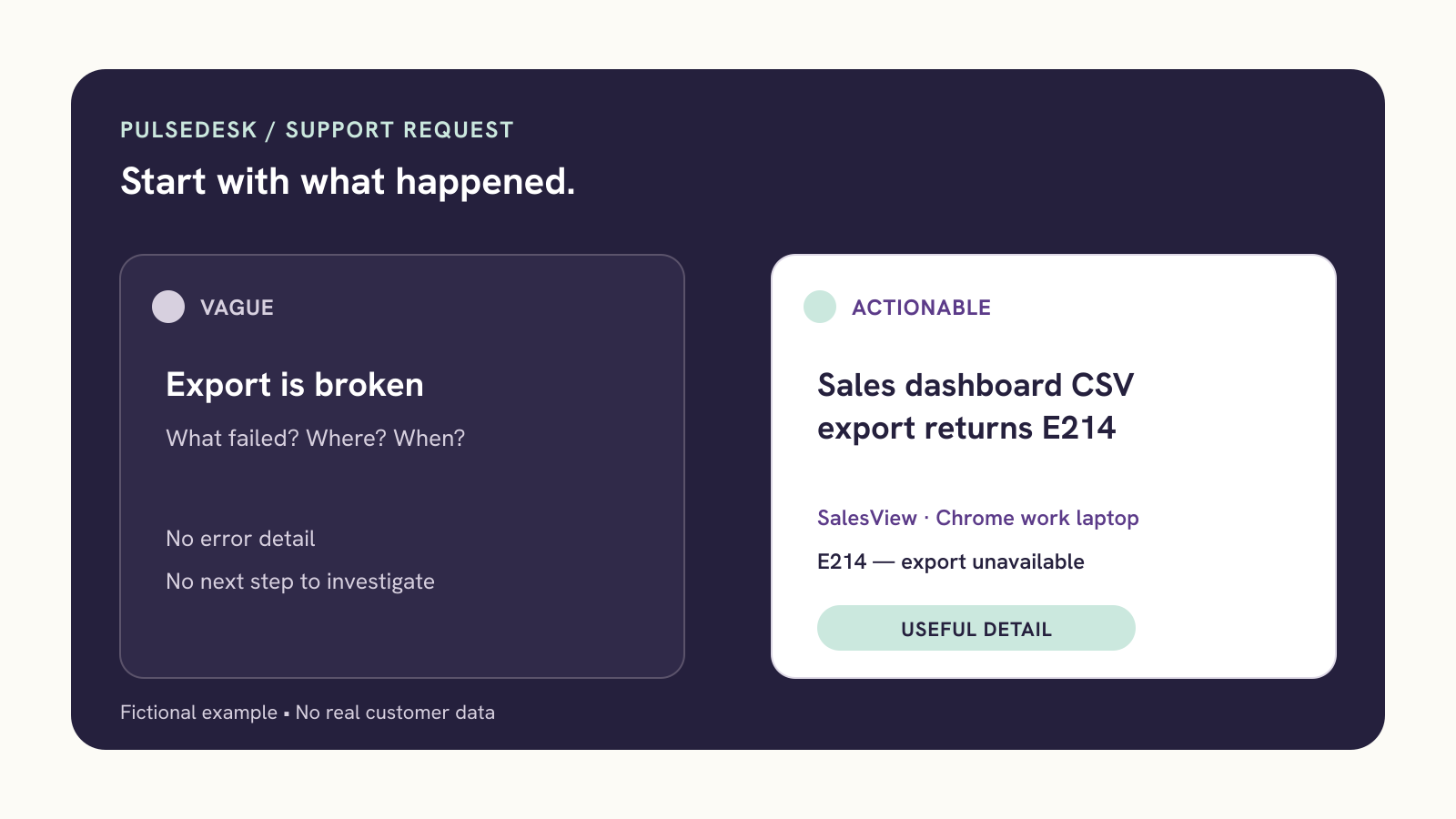
The attachment comparison makes privacy and relevance visible. Each illustration is paired here with the decision it supports.
A visual worked example
The walkthrough builds a factual report from the same prompts learners use in practice. A written example keeps the information available without playing the video.
Read the written example
Title: Sales dashboard CSV export returns E214.
Goal and result: I need the weekly sales report as a CSV. Selecting Export shows “E214 — export unavailable” and no file downloads.
Environment: SalesView on a work laptop using Chrome.
Error and time: Monday at 9:20 a.m.; “E214 — export unavailable”.
Already tried: Reloaded once and retried; the same message appeared. I have not changed browser settings.
Work impact: The report is needed for the 10 a.m. planning meeting. I can view it on screen but cannot share the CSV.
Reference and design materials
The learner reference provides the writing prompts, a worked example and space to draft a new ticket. The design rationale explains how I would distinguish a learning need from a form, access or workflow problem and evaluate ticket quality.
Review status
Review covered answer positions and feedback, an incorrect-answer/retry path, consistency across media, model-accordion keyboard operation and selected mobile layouts. The packaged video and both reference pages were checked.
Plain language and native-text alternatives support access. The fillable PDF remains untagged; full assistive-technology and intended-user testing are pending. Learner evaluation and workplace impact are proposed in the design rationale.